


Utility AI In UE5 : Part 1
Posted on July 2026
In this tutorial, we're going to create a good Unreal Engine Utility AI system. Utility AI is a decision framework for designing complex AI's that can scale to great lenghts. In this first tutorial, we will setup the Npc Task class to handle the actions the NPC will perform.
STEP 1 - Create a C++ class
Go to Tools -> New C++ Class -> All Classes. Select Object and name it NpcTaskDefinition. Click Create Class.
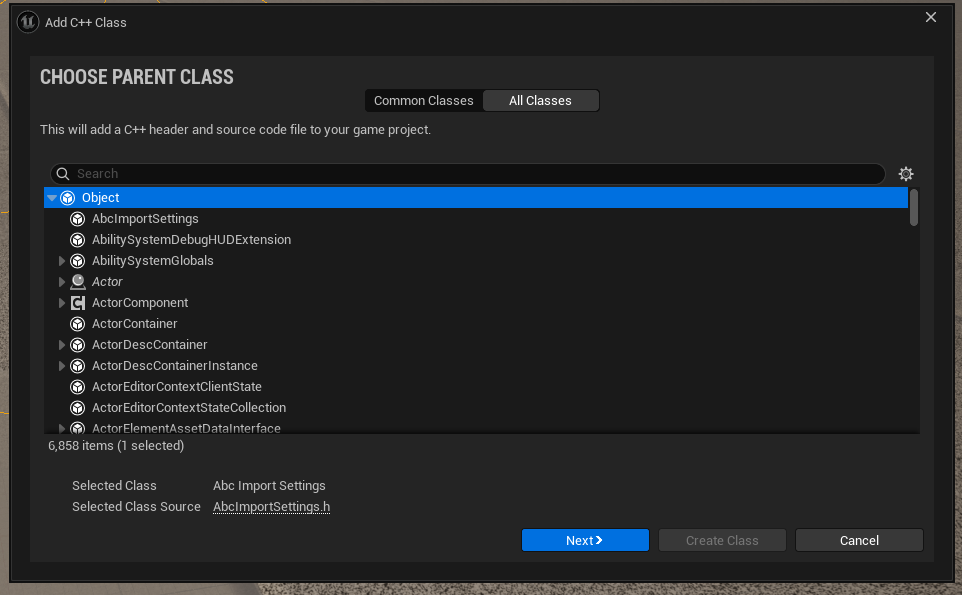
Now inside the NpcTaskDefinition.h file, paste the following:
Note: If you named it something custom, replace the class name in the code below. You can also use the box below to automatically update YOUTUBETUTORIALS_V3_API with your own project name:
YOUTUBETUTORIALS_V3_API→YOUTUBETUTORIALS_V3_APIType your Unreal Engine project name or module API macro. All code blocks below will update in real time for effortless copying!
#pragma once
#include "CoreMinimal.h"
#include "GameplayTagContainer.h"
#include "NpcTaskDefinition.generated.h"

class UAbilitySystemComponent;
class UNpcBrainComponent;

struct FNPCBrainContext;

USTRUCT(BlueprintType)
struct FNPCBrainContext
{
	GENERATED_BODY()

	UPROPERTY(EditDefaultsOnly, BlueprintReadOnly)
	APawn* Pawn;

	UPROPERTY(EditDefaultsOnly, BlueprintReadOnly)
	AActor* Owner;

	UPROPERTY(EditDefaultsOnly, BlueprintReadOnly)
	UAbilitySystemComponent* ASC;

	UPROPERTY(EditDefaultsOnly, BlueprintReadOnly)
	float WorldTime;
};

DECLARE_DYNAMIC_MULTICAST_DELEGATE_TwoParams(FOnTaskFinished, UNPCTaskDefinition*, Task, FNPCBrainContext, Context);

UCLASS(Abstract, BlueprintType, Blueprintable, EditInlineNew, DefaultToInstanced)
class YOUTUBETUTORIALS_V3_API UNPCTaskDefinition : public UObject
{
	GENERATED_BODY()

public:
	// For debugging only. The display name of the task.
	UPROPERTY(EditAnywhere, BlueprintReadOnly, Category="Task")
	FText DisplayName;

	// The default score for this task.
	UPROPERTY(EditAnywhere, BlueprintReadOnly, Category="Scoring")
	float BaseScore = 1.f;

	// Any gameplay tags the NPC must have to be able to perform this task.
	UPROPERTY(EditAnywhere, Category="Task")
	FGameplayTagContainer RequiredTags;

	// Any gameplay tags the NPC must NOT have to be able to perform this task.
	UPROPERTY(EditAnywhere, Category="Task")
	FGameplayTagContainer BlockedTags;

	// Whether this task can be stopped / taken over by other tasks.
	UPROPERTY(EditAnywhere)
	bool bCanBeInterrupted = true;

	// If two tasks have the same score, this is used to determine which one should run otherwise it'll default to the first one.
	UPROPERTY(EditAnywhere)
	int Priority = 0;

	// Whether this task is allowed to be run. By default, it checks if the NPC has the required tags and doesn't have any blocked tags.
	UFUNCTION(BlueprintNativeEvent)
	bool CanRun(const FNPCBrainContext& Context) const;
	bool CanRun_Implementation(const FNPCBrainContext& Context) const;

	// Check the score of this task for UtilityAI to rank the best score
	UFUNCTION(BlueprintNativeEvent)
	float Score(const FNPCBrainContext& Context) const;
	float Score_Implementation(const FNPCBrainContext& Context) const;

	// Should this task be selected even if it has a lower score than other tasks?
	UPROPERTY(EditAnywhere)
	bool bForceSelection = false;

	// Run the action associated with this task.
	UFUNCTION(BlueprintNativeEvent)
	void Execute(const FNPCBrainContext& Context);
	void Execute_Implementation(const FNPCBrainContext& Context);

	// Tell the task to finish
	UFUNCTION(BlueprintNativeEvent)
	void TickTask(float DeltaTime, UNpcBrainComponent* owner);
	void TickTask_Implementation(float DeltaTime, UNpcBrainComponent* owner);

	// Tell the task to finish
	UFUNCTION(BlueprintNativeEvent, BlueprintCallable)
	void FinishTask();
	void FinishTask_Implementation();

	// Called when the task has finished
	UPROPERTY(BlueprintAssignable)
	FOnTaskFinished OnTaskFinished;

private:
	// Private bol to track if the task has finished
	UPROPERTY()
	bool bFinished = false;
};
Now inside NpcTaskDefinition.cpp paste the following:
#include "NpcTaskDefinition.h"

#include "AbilitySystemComponent.h"

bool UNPCTaskDefinition::CanRun_Implementation(const FNPCBrainContext& Context) const
{
	if (Context.ASC)
	{
		if (!Context.ASC->HasAllMatchingGameplayTags(RequiredTags))
			return false;

		if (Context.ASC->HasAnyMatchingGameplayTags(BlockedTags))
			return false;
	}

	return true;
}

float UNPCTaskDefinition::Score_Implementation(const FNPCBrainContext& Context) const
{
	return 0.5f;
}

void UNPCTaskDefinition::Execute_Implementation(const FNPCBrainContext& Context)
{

}

void UNPCTaskDefinition::TickTask_Implementation(float DeltaTime, UNpcBrainComponent* owner)
{

}

void UNPCTaskDefinition::FinishTask_Implementation()
{
	if (bFinished) // block finished from being called twice
		return;

	bFinished = true;
	OnTaskFinished.Broadcast(this, FNPCBrainContext());
}
STEP 3 - CREATE A TASK BLUEPRINT IN UNREAL
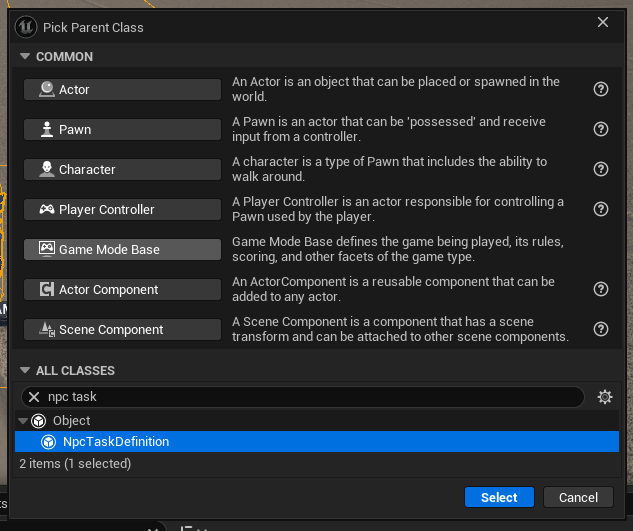
The C++ is now all done. Compile the code and open Unreal. Right Click -> Blueprint Class -> Npc Task Definition. Name it something like NTD_PrintString.
Now inside the task blueprint, add the following code to create a basic task that prints out a string every 5 seconds.